2026.10.6 one suggested order for the whole team, who a referral is assigned to, and automatic transfer to your front desk
Highlights
- Prospects: your whole team now sees the same suggested call order, refreshed every morning.
- Prospects: see who each prospect is assigned to, with a reminder when their nurse intake is not booked yet.
- Phone line: during clinic hours, a caller who needs a person can be put through to your clinic automatically.
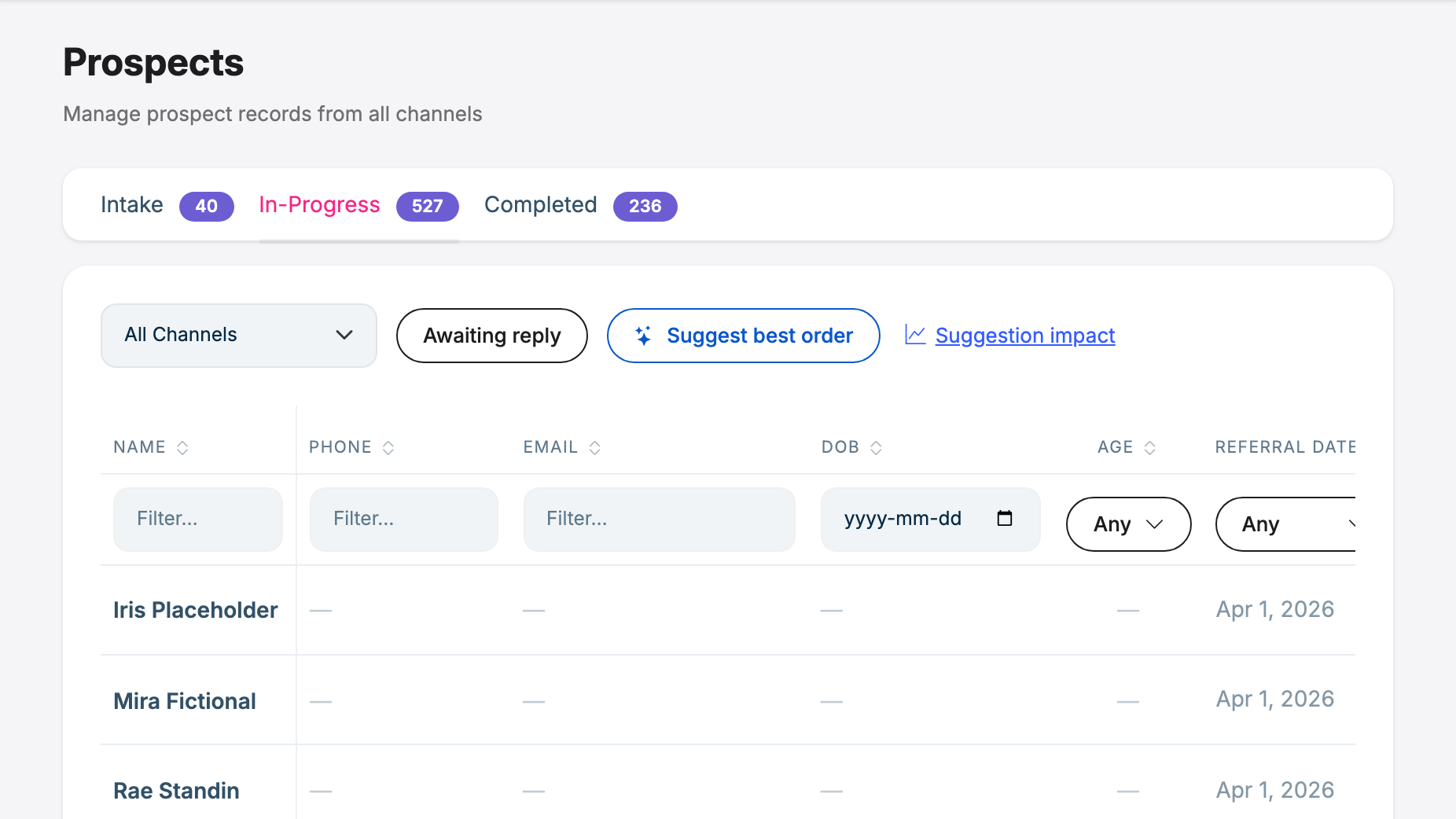
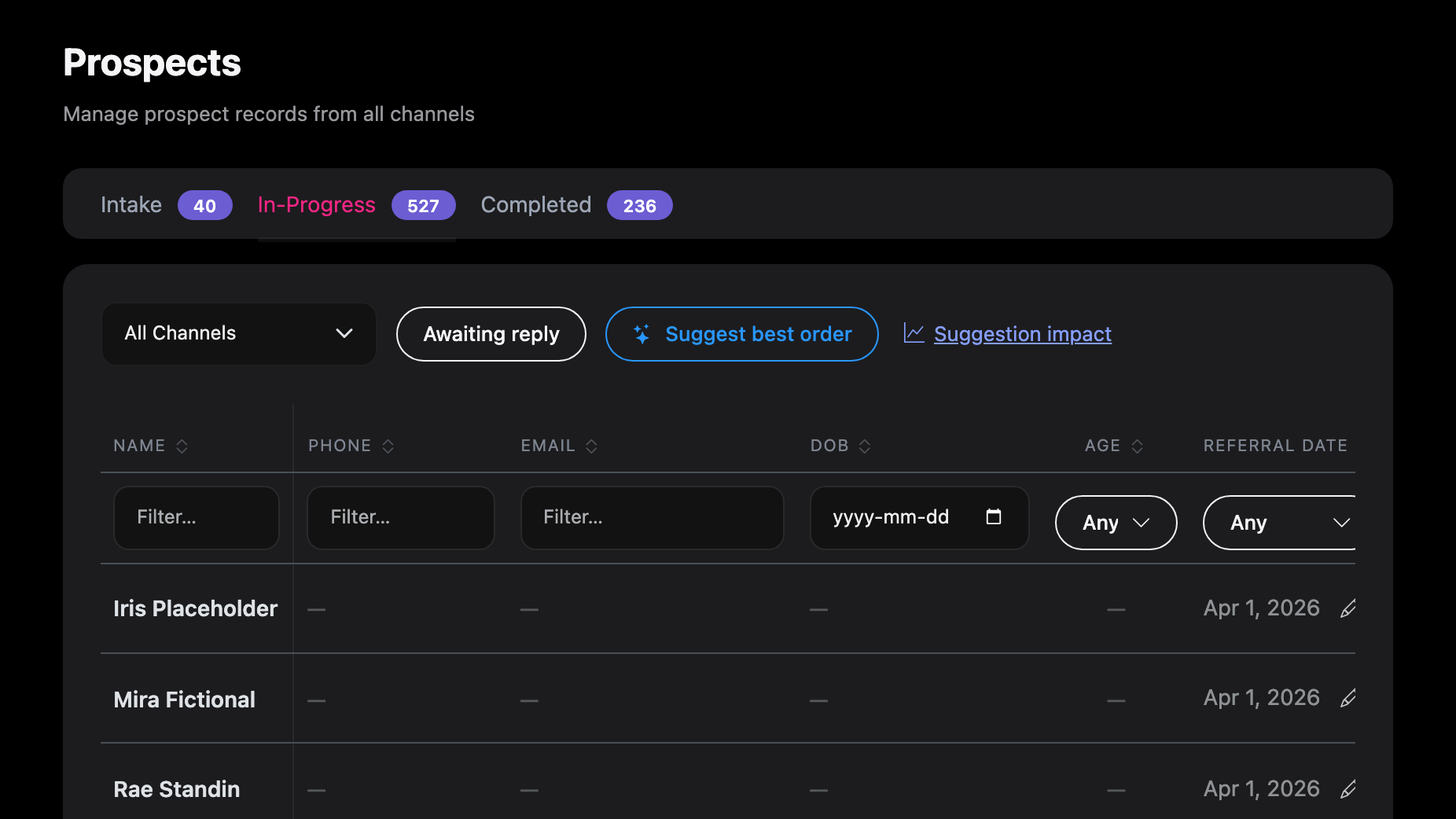
Suggest best order now keeps one ranking for the whole clinic: it opens straight away, everyone on the team sees the same order, it is still there when you open a patient and come back, and it is refreshed in the background and every morning. A prospect's page shows who the referral is assigned to and, when it is assigned to a colleague, warns you before a booking would complete it while the nurse intake isn't booked yet. On the phone line, an administrator can now have an escalated call ring the front desk during clinic hours. It is off until your clinic turns it on.
Suggest best order: one ranking for the whole team
On Intake, Prospects, In-Progress, Suggest best order now shows the clinic's ranking, saved for everyone:
- It opens straight away, and it is the same order for every person on the team. The banner says when it was ranked and who asked, for example Ranked 20 minutes ago by Tina.
- It stays put. Open a patient and come back, or come back tomorrow, and the list is still in the suggested order until you press Back to normal order.
- Refresh ranks again in the background. You can keep working or leave the page, and the list switches to the new ranking by itself. Only prospects that changed since they were last read are read again, so a refresh usually takes seconds, and the rest of the order doesn't move.
- Changed since ranking. A prospect who replied, or whom someone just called, is placed by their current status straight away and marked Changed since ranking (or New since ranking), so a reply goes to Respond now without waiting for a refresh.
- Early each morning (from 6:00 am Eastern, or when the portal is first opened that day) the ranking is refreshed in the background. This happens for clinics that have pressed Suggest best order at least once.
- The first time your clinic uses it, the first ranking is made in the background (about a minute) while the normal list stays usable. If it doesn't finish, a message says so and the page doesn't start it again: press Refresh to try now, or it is tried again in the next morning's refresh.
- Reasons written from what patients said are in your clinic's language, whoever pressed Refresh; reasons from status and contact history alone show in your own language.
Suggestion impact counts each finished refresh, not each time someone opens the list. See Suggest best order and Your daily intake routine.
Who a referral is assigned to, and a heads-up before booking past the nurse intake
A prospect's page now shows Assigned to and the person's name beside the status, the same person as the list's Assigned to column.
When someone else is assigned and the nurse intake isn't booked yet, booking an appointment that is not the nurse intake first asks "The nurse intake isn't booked yet, and this appointment completes the referral. Continue anyway?" It covers both Book appointment and Record appointment booked elsewhere. Continue books as usual; Cancel books nothing and keeps what you picked or typed. It is a warning, never a block, and it doesn't appear for your own referrals or at clinics that don't book nurse intakes. See Nurse intake first, then the consultation.
Automatic transfer to your front desk during clinic hours
Until now, a caller reached a person only if someone pressed Take over in time. An administrator can now turn on Ring the fallback number automatically under Settings, Phone Line, and set the days and the start and end times. During those hours, when a caller asks for a person or the assistant can't help, the assistant says it is putting them through and the clinic's fallback number rings, for example the front desk.
- Whoever answers hears that the call comes from the clinic's phone assistant and why, then is connected. If the phone system can't tell a person picked up (after a long greeting, for example), they are asked to press 1 first. Let your front desk know.
- If nobody answers within about 25 seconds, or voicemail picks up, the caller is told the care team will call back and can key in a different number to be called on. A caller is never put through to a voicemail box.
- Never put through: a caller who described a possible medical emergency (they are told to call 911), and a referring office.
- Either way the conversation stays in Conversations for follow-up, and the worklist tells you when the front desk answered, so check with them before calling back.
It is off for every clinic until an administrator turns it on, and it needs a fallback number. Outside the hours you set, nothing changes. See Automatic transfer during clinic hours.
Taking over a live call
The same screening now applies when a staff member presses Take over: the person who answers hears that the call comes from the phone assistant, and is asked to press 1 if the phone system isn't sure a person picked up. What the caller and your team member say after the hand-off is now added to the call's transcript. While an automatic transfer is ringing the front desk, Take over doesn't claim the call and says why. See Taking over a live call.
Smoother calls
- Callers hear "I didn't quite catch that" far less often in the short pause right after the assistant finishes speaking.
- When a caller only asks for a person, the hand-off line comes straight away, with no silence first.
- If a caller mentions an emergency a second time, they hear a short reminder to call 911 rather than the whole message again.
- A caller who hangs up while the assistant is still working on its reply is handled cleanly.
Recently viewed
The Patients list and the Prospects list show a Recently viewed row: the last 8 records you opened, newest first, one click back into each, with Clear. It is your own list, on the computer you are using. See Recently viewed and Patients.
Booking confirmations leave out the location when it adds nothing
A confirmation no longer names the location for an appointment type held by phone or video, or when your clinic has one location, so a patient isn't told to come to a place for a phone call. See The booking confirmation.
Also in this release
- On a prospect's Activity tab, a portal email now reads as the patient saw it, without the email's formatting code.
- Booking a Consultation for a prospect who came in through the website chat or the phone, rather than a referral, completes again and creates their patient record.
- The prospect list's Comment column shows the newest note, and its filter searches every note, including notes added since notes became signed and dated.
- When a settings change can't be saved, the message names the setting as the screen labels it, in your language, and says it once.
- The in-app assistant keeps to the topic you are asking about when you ask a follow-up question.