Fertility clinical tracking
Fertiligent adds fertility-specific clinical tracking on top of the patient, case, and episode model (cycles, embryos, cryostorage, genetic results, protocols, and treatment consent forms) so the lab and clinical teams work from one connected record.
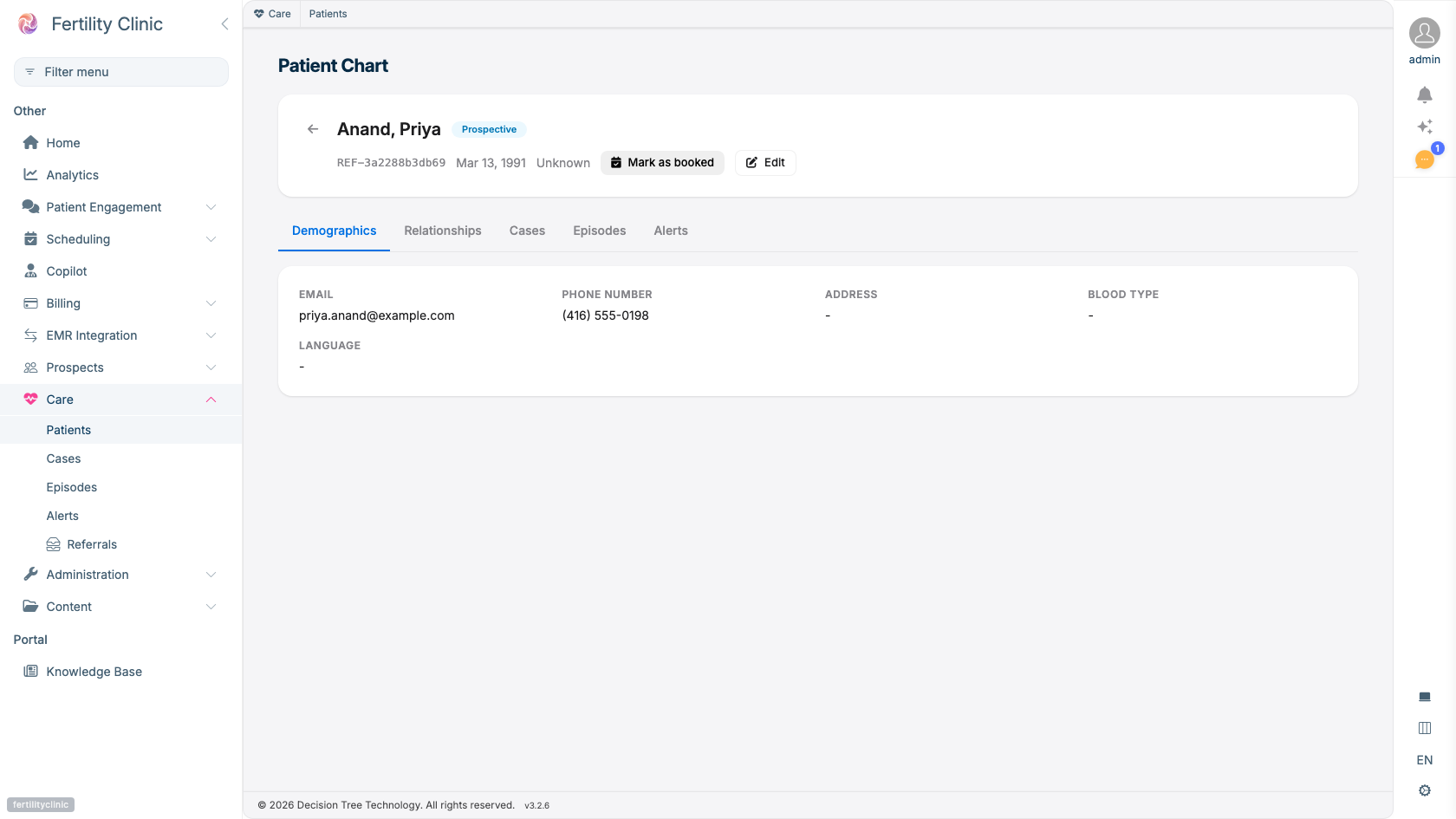
- Each patient's chart shows their status in the care journey.
- Cases and Episodes organize the treatment record.
- Clinical alerts surface where staff can act on them.
- Contact and clinical details, all in one place.
Cycles
A fertility cycle captures one treatment cycle for an episode: the stimulation, the retrieval, fertilization, and transfer details. Fertilization can be recorded as IVF, ICSI, split, or natural, and transfers on day 3, 5, or 6. One cycle belongs to one episode of care.
Embryos
Each embryo is tracked individually, with grading on the standard scale: inner cell mass, trophectoderm, and expansion grades, plus cell count and a quality score. An embryo moves through a status lifecycle (for example growing, frozen, transferred, biopsied, discarded, or arrested), and its disposition is recorded at each step.
Cryostorage
For frozen embryos, a storage record captures exactly where and how each one is preserved:
- Location: the tank, cane, goblet, and straw where it's stored.
- Freeze method: slow freeze or vitrification.
- Status: in storage, thawed, transferred, discarded, or shipped.
This gives you a precise, auditable inventory of everything in the tank.
Genetic testing (PGT)
Record PGT results per embryo (PGT-A, -M, -S, or -SR) including the result (such as euploid, aneuploid, or mosaic) and sex chromosomes. Results are tied to the specific embryo they belong to.
Protocol templates
Build reusable protocol templates (stimulation, frozen embryo transfer (FET), IUI, fertility preservation, or donor cycle) so your standard approaches are captured once and applied consistently across patients.
Treatment consent forms
Manage clinical consent forms through their full lifecycle: create a consent form, capture the patient's signature (with a witness and an optional expiry date), and revoke it if needed. Each form moves through pending, signed, declined, expired, or revoked. This is distinct from a patient's consent to receive information by phone or text, see Consent & patient privacy.
Monitoring values and verification
Bloodwork, ultrasound, medication, procedure and clinical-note entries recorded during a cycle can be verified by a clinician. Verification is an attestation, a name and a time on the value, and it releases the value to the patient in the same act: one act, one signature, and the value appears on the patient's portal timeline, their cycle view and their assistant. An entry that was verified before this behaviour existed was released the same way when it arrived.
Voiding a verified entry keeps the attestation on the audit record and removes the entry from every view. Which roles can verify is set in roles and permissions.
The Day-5 embryology update
The laboratory posts the Day-5 embryology summary, and a picture for each embryo grade, directly over the lab feed; nobody types a number. The entry lands on the patient's cycle with the pictures beside their grades, and staff and physicians see it on the cycle's Day-5 Summary tab.
Releasing it to the patient is a two-step gate. The entry is verified like any other value. Separately, an explanation of what the result means is drafted for a clinician to review: the clinician reads it, edits it in place or asks for a rewrite in their own words, and approves it. A rewrite can only rephrase; it cannot add a number, a grade or a prognosis the entry does not carry. Only an approved explanation reaches the patient, quoted from their care team on their portal timeline in their own language, and it is the wording the patient assistant uses when asked about the result.
Approving a summary for release returns straight away. The explanation card starts with the standard wording, and the drafted explanation replaces it a few seconds later. Saving an edit to an explanation also returns straight away; for a patient who reads another language, the card says the translation is being prepared and fills it in when it is ready.
Optionally, one text tells the patient an update is ready in the portal when an explanation is approved. It carries no clinical content, is sent once per result, and only inside the hours your clinic sets. It is off by default; an administrator turns it on under Settings › Portal › Patient explanations.
Under a released summary, one line says what happened to that text: the patient was texted (and when), the text is being sent, it is held until clinic hours, or it failed. When the patient was not texted, the line says why and what to fix: no SMS consent on file (add it on the Consents tab), Consent to Electronic Communication not ticked on the patient record, no phone number, marked do not contact, opted out of texts, or the explanation was replaced before the text went out. Nothing shows under a summary that hasn't been released.
Availability
Fertility clinical tracking is enabled per clinic. Ask your Fertiligent contact to enable it for your plan.