Prospects & outreach setup
The prospect funnel captures every inquiry in one place, and automated outreach helps your team reach referred patients without hand-chasing each one. This page is the administrator's side — how the funnel and outreach are turned on and configured. For how staff work prospects day to day, see Prospect management & outreach.
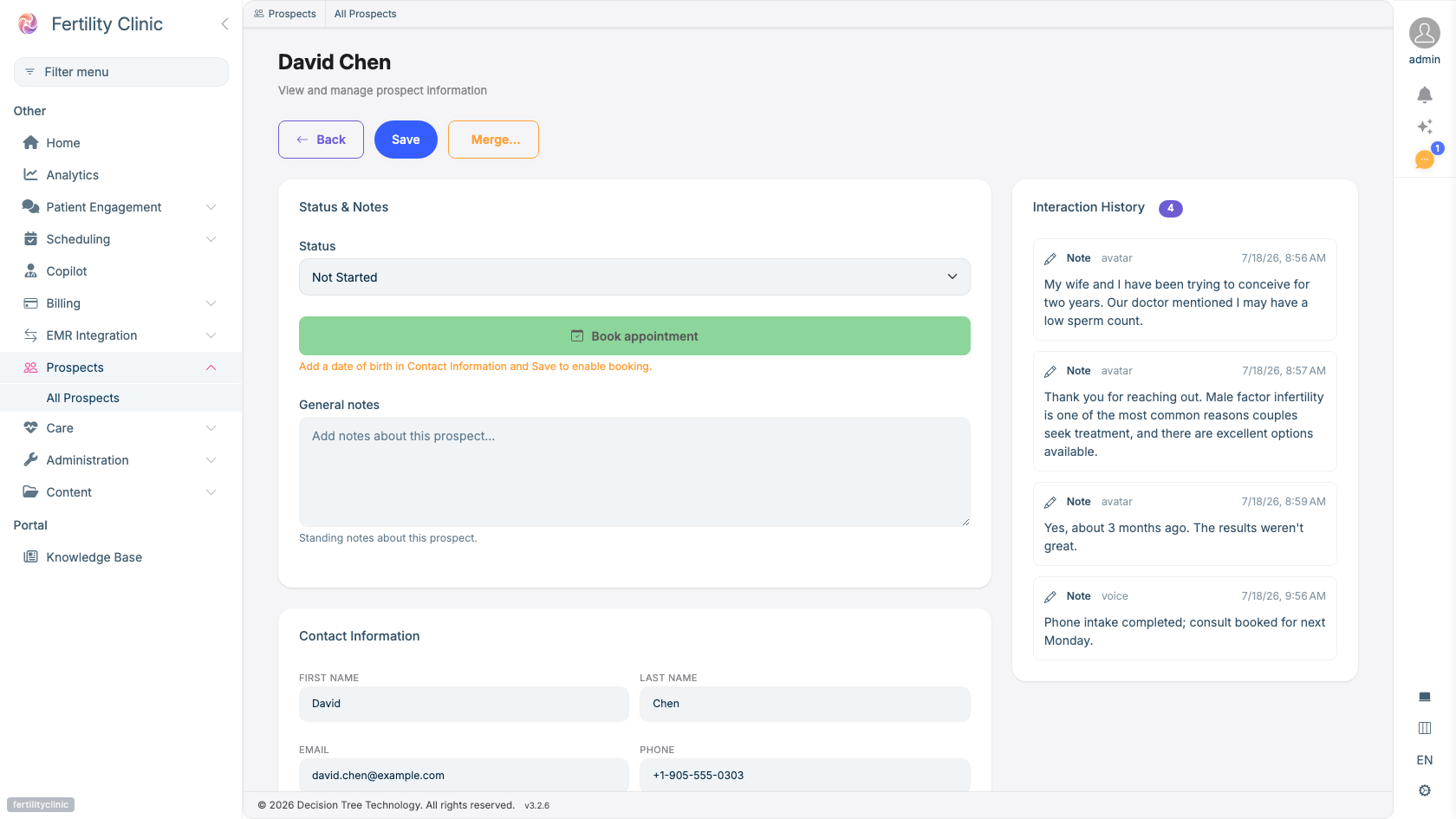
- Drive the outreach stage as your team makes contact.
- Book — the moment a prospect becomes an active patient.
- Every touch across every channel, in one timeline.
- Calls, chats, and texts are logged automatically.
Turning on the prospect funnel
The prospect funnel is enabled per clinic. Once it's on, inquiries from every intake channel land automatically as prospects, each recording where it came from so you can see which channels produce inquiries.
The outreach funnel
A prospect moves through a simple set of stages that your team drives forward — from first contact through to Booked, at which point the patient becomes active. Booking is the one stage that reaches back into the clinical record. The Referrals workflow guide walks through the full set of stages and how staff move them.
Automated outreach sequences
Fertiligent can run a sequence of touch-points on your behalf until the patient engages or opts out. A sequence is an ordered list of steps that your clinic authors, versions, and turns on or off — rather than a single built-in cadence every clinic shares.
Each sequence declares what starts it. Today that is a confirmed referral. Sequences are enabled independently of one another, so you can work on one while another is live.
The steps you can use
| Step | What it does |
|---|---|
| Text | Sends an SMS. |
| Call | Places an automated call. |
| Wait | Pauses for a set time before the next step. |
| Consent question | Asks the patient to consent, and waits for their reply. |
| Preference question | Confirms receipt and asks how they'd like to be reached, and waits for their reply. |
| Booking offer | Invites the patient to book. This always ends the sequence. |
The two question steps are different from the rest: after sending, the sequence parks and waits for the patient to answer rather than moving on a timer. See Patient messaging & SMS.
You can reword the message a question step sends. What the answers mean — which reply selects text, email, phone, or "I no longer wish to proceed" — is fixed by the platform. A reworded menu therefore can't accidentally change what an answer does, and a patient who replies to a re-prompt always sees the same options they were originally offered.
What you control
- The sequence itself — which steps run, in what order, and the wording they send.
- Channels — which of text, phone, and email the sequence uses.
- Outbound identity — the number patients see when the sequence calls or texts them, typically your clinic's assistant number.
- Timing — how long sits between each step. Sequences run on business days.
- Stop conditions — the sequence stops automatically as soon as the patient books, opts out, or tells you they no longer wish to proceed. A patient who has opted out is respected on every channel.
When outreach doesn't land
Prospects the cadence couldn't reach surface on a worklist, so staff can follow up directly or return the referral to the referring physician rather than letting it go quiet.
Controlled rollout
Outreach to real patients — especially text and outbound calls — is switched on in a controlled, pilot way while consent and the required carrier agreements are in place. See Consent & messaging setup, and ask your Fertiligent contact about enabling outreach for your clinic.
Availability
The prospect funnel and automated outreach are enabled per clinic and per plan.