How intake works
Patients reach your clinic in many ways: a chat on your website, a phone call, a faxed referral, a text, an email. Fertiligent brings every one of them into a single funnel so nobody falls through the cracks. This page is the map: it shows how each channel feeds that funnel and points to where each one is set up.
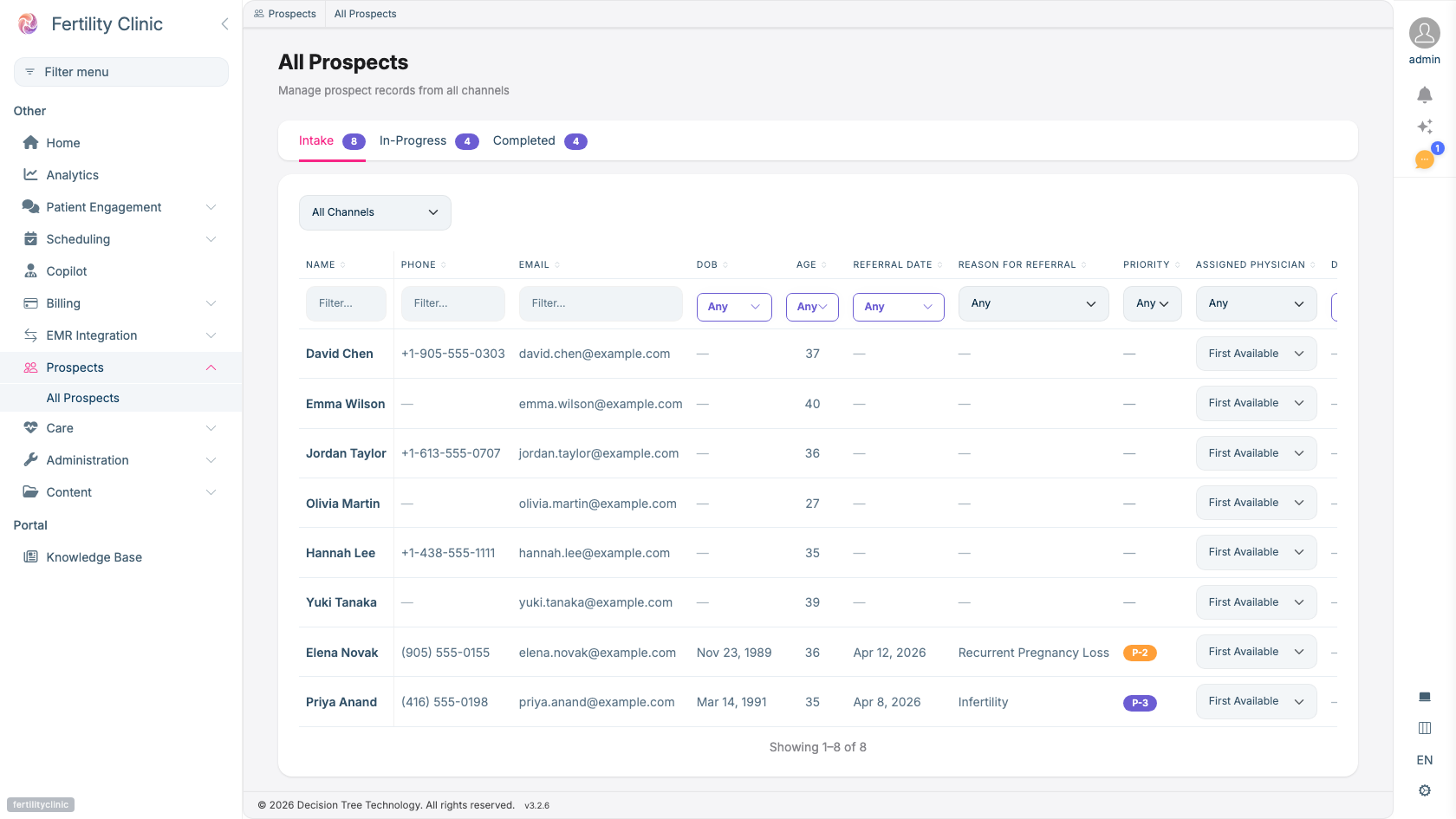
- Every channel (web, phone, referral) converges into one list.
- Work the funnel by stage: Intake → In-Progress → Completed.
- Full context per prospect, reason for referral, priority, age.
- Route each prospect to the right provider.
One funnel, many front doors
However an inquiry arrives, it becomes a prospect, a potential patient moving through your outreach and intake funnel. Every channel lands in the same place, with a full history attached, so your team works one list instead of several inboxes. For how staff work that list day to day, see Prospect management & outreach.
The intake channels
| Channel | How it feeds intake | Guide |
|---|---|---|
| Website chat | A conversation with Eva on your site is captured as a prospect. | Eva, the patient companion |
| Phone | The voice assistant answers calls, can collect missing details, and queues callbacks for your team. | Voice phone assistant |
| Referrals | Faxed or emailed referral documents are read, reviewed, and confirmed: creating a prospect and a patient. | Referrals workflow |
| Text (SMS) | Two-way texting; referred patients can reply to your outreach to book an intake call. | Patient messaging & SMS |
| An inbound email becomes a conversation in the same worklist as calls and texts, and can create a prospect. Distinct from an emailed referral document above. | Conversations | |
| Import | Records brought in from another system, such as a CRM. | , |
Where the channels converge
Every channel meets at the prospect record and the outreach funnel. Your team drives the prospect forward, and booking an appointment is the moment a prospect becomes an active patient, the single point where the outreach side of the funnel connects to the clinical record. See Scheduling & booking for the booking model.
Setting each channel up
Each channel has its own admin setup:
- Nurse self-booking: let referred patients book a short intake call from a shared queue. See Intake nurse availability.
- The prospect funnel and automated outreach: see Prospects & outreach setup.
- Consent and the messaging channels: see Consent & messaging setup.
- Referral documents and your EMR: see EMR integration.
Availability
Each intake channel is enabled per clinic. Ask your Fertiligent contact which channels are turned on for your plan.